D2SV Relation Widget
D2SV Relation Widget tile plugin will help the developer in solving the following scenarios
- Define a relation widget type
- Define a relation widget type parameter
- Define a relation widget type in the landing page
- Define a shortcut tile with behavior to access the relation widget type parameter.
Instruction to try out the sample
- Build the plugin using
npm run buildfrom SDK workspace root. - Copy
D2SV-Relation-Widget-1.0.0.jarfrom 'dist' folder in workspace root and paste it insideWEB-INF/libfolder of a deployed D2 Smartview application. - The same plugin jar file has to be placed in
WEB-INF/classes/pluginsdirectory of deployed D2-Config application. - Edit
WEB-INF/classes/D2-Config.propertiesand add an entry likeplugin_<sequence>=plugins/D2SV-Relation-Widget-1.0.0.jarwhere<sequence>is the next natural number following the existing entries of the same pattern in the file. - Restart application server on which D2 Smartview is deployed.
After restart -
- Login into D2-Config and navigate to
Widget view -> widgetfrom menubar. - Create a new widget configuration and let's name it
Relation tileand select valueCustomRelationsWidgetfor the dropdownWidget type. - Fill in other fields like
Applications,labeletc. as desired. - Take a note of the value in
Relation Widget paramfield and selectCustomize default widget columnsto see the list of default columns. - For any widget configuration, if additional columns are added to the
Customize default widget columnsfield in D2-Config, the resulting default columns list will include both the columns defined in the plugin code (_col_relations_widgets) and the columns added via D2-Config. This behavior applies only to the widget being configured. After saving the widget configuration, please clear the preference to see the effect of default columns. - From the toolbar, click Matrix to go to D2-config matrix and enable the widget configuration, you just created, against appropriate contexts.
- Navigate to
Widget view -> Smart View Landing Pagefrom menu bar and then download your applicable landing page configuration xml file.
If a pre-created Smartview landing page configuration does not exist, then refer to D2 Administration Guide documentation to create the same and learn basics of landing page structure file.
- Edit your landing page configuration file and place the following xml anywhere right under
<context>tag<widget-container>
<widget type="CustomRelationsWidget" name="Relation tile"/>
</widget-container>tipIf you've used a different name while creating the widget configuration, use that name as the value for name attribute.
- Save the landing structure xml file and upload it to D2-Config under the same landing page configuration from where we downloaded it before.
- Save the configuration change in D2-Config and click Tools -> Refresh cache from menubar.
- Reloading the D2 Smartview at this point should show an additional shortcut in the landing page, similar to following
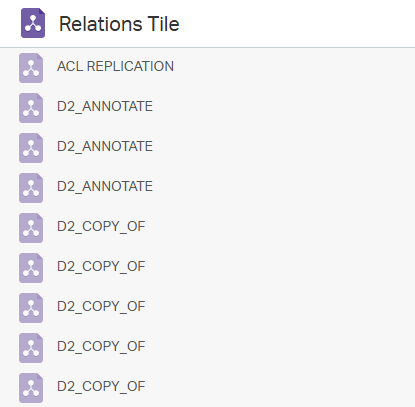
- Click on the widget to see the list of Relations in the current repository.
- Selecting any relations, shows 'Locate' and 'Delete' menu based on the logged-in user's permissions.
As result of deploying this plugin, it will introduce a new widget type in the D2-Config widget types. And the other part of the plugin binds this new widget type to a new shortcut tile in D2-Smartview landing page.
Source code structure
D2SV-Custom-Widget-Type
|~~~~~~~~~~~~~~~~~~~~~~~~~~~~
|   pom.xml
|
+---src
|   *---main
|   |    +---java
|   |    |   \---com
|   |    |       +---emc
|   |    |       |       D2PluginVersion.java
|   |    |       |
|   |    |       \---opentext
|   |    |           \---d2
|   |    |               +---rest
|   |    |               |   \---context
|   |    |               |       \---jc
|   |    |               |               PluginRestConfig_CustomRelationsWidget.java
|   |    |               |
|   |    |               \---smartview
|   |    |                   \---customrelationswidget
|   |    |                       |   CustomRelationsWidgetPlugin.java
|   |    |                       |
|   |    |                       +---api
|   |    |                       |       CustomRelationsWidgetVersion.java
|   |    |                       |
|   |    |                       \---rest
|   |    |                           |   package-info.java
|   |    |                           |
|   |    |                           +---controller
|   |    |                           |       CustomRelationsWidgetController.java
|   |    |                           |
|   |    |                           +---dfc
|   |    |                           |   |   CustomRelationsWidgetManager.java
|   |    |                           |   |
|   |    |                           |   \---impl
|   |    |                           |           CustomRelationsWidgetManagerImpl.java
|   |    |                           |
|   |    |                           +---model
|   |    |                           |       RelationsInputModel.java
|   |    |                           |       RelationsOutputModel.java
|   |    |                           |
|   |    |                           \---view
|   |    |                                   RelationsFeedView.java
|   |    |                                   RelationsView.java
|   |    |
|   |    +---resources
|   |    |   |   customrelationswidget-version.properties
|   |    |   |   D2Plugin.properties
|   |    |   |
|   |    |   \---com
|   |    |       \---emc
|   |    |       |   \---d2
|   |    |       |       \---api
|   |    |       |           \---preferences
|   |    |       |                    D2cPreferences.properties
|   |    |       |                    D2cPreferencesColumnType.properties
|   |    |   +---smartview
|   |    |   |       SmartView.properties
|   |    |   |
|   |    |   \---strings
|   |    |       +---actions
|   |    |       |   \---config
|   |    |       |       \---modules
|   |    |       |           \---widge
|   |    |       |               \---WidgetDialog
|   |    |       |                       WidgetDialog_en.properties
|   |    |       |
|   |    |       \---bundles
|   |    |               DfAttributeBundle_en.properties
|   |    |       \---config
|   |    |               U4Landing.properties
|   |    |               WidgetColumnslist.properties
|   |    |               WidgetSubtype.properties
|   |    |               WidgetSubtypelist.properties
|   |    |
|   |    \---smartview
|   |        |   .stylelintrc.yml
|   |        |   .eslintrc-html.yml
|   |        |   .eslintrc.yml
|   |        |   .npmrc
|   |        |   config-editor.js
|   |        |   customrelationswidget.setup.js
|   |        |   Gruntfile.js
|   |        |   package.json
|   |        |   server.conf.js
|   |        |
|   |        +---src
|   |        |   |   component.js
|   |        |   |   config-build.js
|   |        |   |   customrelationswidget-extensions.json
|   |        |   |   customrelationswidget-init.js
|   |        |   |   Gruntfile.js
|   |        |   |
|   |        |   +---bundles
|   |        |   |       customrelationswidget-bundle.js
|   |        |   |
|   |        |   +---models
|   |        |   |       relations.widget.collection.js
|   |        |   |       relations.widget.model.js
|   |        |   |
|   |        |   +---extensions
|   |        |   |       controls.table.cell.factory.js
|   |        |   |       relation.perspectives.js
|   |        |   |       relation.tiles.js
|   |        |   |
|   |        |   +---table
|   |        |   |
|   |        |   |   \---cell
|   |        |   |       |
|   |        |   |       \---custom
|   |        |   |          |
|   |        |   |          \---impl
|   |        |   |               custom.cell.css
|   |        |   |               custom.cell.hbs
|   |        |   |
|   |        |   +---test
|   |        |   |       extensions.spec.js
|   |        |   |
|   |        |   +---utils
|   |        |   |   |   constants.js
|   |        |   |   |   icons.js
|   |        |   |   |   startup.js
|   |        |   |   |
|   |        |   |   \---contexts
|   |        |   |       |
|   |        |   |       \---factories
|   |        |   |               relations.widget.collection.factory.js
|   |        |   |
|   |        |   |   \---impl
|   |        |   |       |   icon.css
|   |        |   |       |
|   |        |   |       \---images
|   |        |   |               tile_relation.svg
|   |        |   |
|   |        |   |   \---perspectives
|   |        |   |       |   relations.widget.perspective.json
|   |        |   |       |
|   |        |   |   \---theme
|   |        |   |       |   action.icons.js
|   |        |   |       |
|   |        |   |       \---action_icons
|   |        |   |               action_sample_icon.svg
|   |        |   |
|   |        |   \---widgets
|   |        |       \---relations.widget
|   |        |               relation.widget.commands.js
|   |        |               relation.widget.manifest.json
|   |        |               relation.widget.view.js
|   |        |               |
|   |        |               \---impl
|   |        |                    \---nls
|   |        |                          \---root
|   |        |                              lang.js
|   |        |                              relations.widget.manifest.js
|   |        |                          |
|   |        |                          lang.js
|   |        |                          relations.widget.manifest.js
|   |        |       \---relations.widget.perspective
|   |        |               relation.widget.perspective.manifest.json
|   |        |               relation.widget.perspective.view.js
|   |        |               |
|   |        |               \---impl
|   |        |                    \---nls
|   |        |                          \---root
|   |        |                              lang.js
|   |        |                              relations.widget.perspective.manifest.js
|   |        |                          |
|   |        |                          lang.js
|   |        |                          relations.widget.perspective.css
|   |        |
|   |        \---test
|   |                Gruntfile.js
|   |                karma.conf.js
|   |
|
\---target
Files and their purpose
Following are the list of function oriented source files and their purpose. Other source files present within the plugin are part of common infrastructure code and explained in Understanding D2SV plugin project.
REST Controller
- src/main/java/com/opentext/d2/rest/context/jc/PluginRestConfig_CustomRelationsWidget.java - Declares Spring Bean
RelationsManagerthroughRelationsManagerImpl. - src/main/java/com/opentext/d2/smartview/customrelationswidget/rest/controller/RelationsController.java - Defines a REST controller with one endpoint to list all the relations from Documentum.
- src/main/java/com/opentext/d2/smartview/customrelationswidget/rest/dfc/RelationsManager.java - Declares the data manager interface used by above REST controllers to get/set the data they deal with.
- src/main/java/com/opentext/d2/smartview/customrelationswidget/rest/dfc/impl/RelationsManagerImpl.java - Data manager that interacts with Documentum
through DQL and exchanges data as per
RelationsManagerinterface. - src/main/java/com/opentext/d2/smartview/customrelationswidget/rest/model/RelationsInputModel.java - Serializable POJO that represents attributes of relation while editing.
- src/main/java/com/opentext/d2/smartview/customrelationswidget/rest/model/RelationsOutputModel.java - Serializable POJO that represents attributes of relation.
- src/main/java/com/opentext/d2/smartview/customrelationswidget/rest/view/RelationsFeedView.java - Spring view used to wrap and serialize a list of relation data. Uses
RelationsViewin turn to serialize each individual relation. - src/main/java/com/opentext/d2/smartview/customrelationswidget/rest/view/RelationsView.java - Spring view used to wrap and serialize a list of relation data.
Tile on the landing page
- src/main/smartview/src/bundles/customrelationswidget-bundle.js - A portion of this file refers to the RequireJS modules that implement the landing page tile. These references are only used for RequireJS modules that are otherwise not referenced statically from any other RequireJS module.
  define([
    'customrelationswidget/utils/theme/action.icons',
    'customrelationswidget/utils/startup',
    'customrelationswidget/utils/icons',
    'customrelationswidget/extensions/controls.table.cell.factory',
    'customrelationswidget/extensions/relations.tiles',
    'customrelationswidget/extensions/relations.perspectives',
    'customrelationswidget/widgets/relations.widget/relations.widget.view',
    'customrelationswidget/widgets/relations.widget.perspective/relations.widget.perspective.view',
    'customrelationswidget/utils/contexts/factories/relations.widget.collection.factory',
    'customrelationswidget/table/cell/custom/custom.cell.view',
    ], {});
src/main/smartview/src/utils/theme/action.icons.js - Defines the default icon for the widgets
src/main/smartview/src/utils/startup.js - Runs as part of D2 Smartview client-side startup flow. This flow is executed everytime end users reload the D2 Smartview application in their internet browser.
src/main/smartview/src/utils/icons.js - Defines the icon to represent a relation by means of extension.
src/main/smartview/src/extensions/controls.table.cell.factory.js - Defines the external cell factory.
src/main/smartview/src/extensions/relations.tiles.js - Declares a new widget type handler for the landing page tiles by means of extension.
src/main/smartview/srcwidgets/relations.widget/relations.widget.view.js - A
MarionetteJSview that implements the UI and function for the widget. An instance of this view is dynamically created by the D2SV runtime and this instance manages and renders DOM elements to represent the list of all available relations. It also handles user interaction with the DOM elements.src/main/smartview/src/widgets/relations.widget.perspective/relations.widget.perspective.view.js - A
MarionetteJSview implementation that displays the members of a selected group. An instance of this view is dynamically created by D2SV runtime to show list of relations in the perspective. The instance automatically updates itself as a result of end users selecting a relation by means of constant watch over the relation model instance acquired usingrelations.widget.collection.factory.js.src/main/smartview/src/utils/contexts/factories/relations.widget.collection.factory.js - A factory to control creation of initialized/uninitialized relation collection instances.
src/main/smartview/src/customrelationswidget-extensions.json - A portion of this file registers extensions to enable the custom shortcut tile for the widget configuration and also to have custom shortcut tile behavior.
  "d2/sdk/controls/icon.sprites/node.icon.sprites": {
    "extensions": {
      "customrelationswidget": [
        "customrelationswidget/utils/icons"
      ]
    }
  },
  "d2/sdk/controls/table/cells/cell.factory": {
    "extensions": {
      "customrelationswidget": [
        "customrelationswidget/extensions/controls.table.cell.factory"
      ]
    }
  },
  "d2/sdk/utils/landingpage/tiles": {
    "extensions": {
      "customrelationswidget": [
        "customrelationswidget/extensions/relations.tiles"
      ]
    }
  },
  "d2/sdk/utils/perspectives/app.scope.perspectives": {
    "extensions": {
      "customrelationswidget": [
        "customrelationswidget/extensions/relations.perspectives"
      ]
    }
  }
- src/main/smartview/src/models/relations.widget.collection.js - A
BackboneJScollection that holds all available relation data. Usesrelations.widget.model.jsto represent each relation in the collection. Makes an AJAX call to one of the REST endpoint, created by Java code from above, to get the available relation. - src/main/smartview/src/models/relations.widget.model.js - A
BackboneJSmodel that holds data for a single relation. - src/main/smartview/src/utils/contexts/factories/relations.widget.collection.factory.js - A factory to control creation of initialized/uninitialized relation collection instances.
- src/main/smartview/src/utils/constants.js - A portion of the file defines a few frequently used constant values in the context of landing tile implementation.
The perspective, landing tile expands into
The perspective is defined in a two panel layout where it re-uses the same relation.widget.view.js from landing page tile. Apart from the RequireJS modules
and other source code resources referred by the landing page tile, here's the other files involved in defining the perspective itself.
- src/main/smartview/src/extensions/relation.perspectives.js - Declares an application scope handler and associates a perspective definition file with it.
- src/main/smartview/src/utils/perspectives/relations.widget.perspective.json - Defines the layout for the perspective and associates
relations.widget.perspectiveas the widgets to go. The D2SV runtime dynamically creates the associated view instances when the perspective comes alive. - src/main/smartview/src/widgets/relations.widget.perspective/relations.widget.perspective.view.js - A
MarionetteJSview implementation that displays the members of a selected group. An instance of this view is dynamically created by D2SV runtime to show list of relations in the perspective. The instance automatically updates itself as a result of end users selecting a relation by means of constant watch over the relation model instance acquired usingrelations.widget.collection.factory.js. - src/main/smartview/src/utils/contexts/factories/relations.widget.collection.factory.js - A factory to control creation of initialized/uninitialized relation collection instances.
Relation Widget references needed for the D2-Config widget configuration and D2 Smartview landing page configuration
- src/main/resources/strings/config/WidgetSubtypelist.properties - Defines the relation widget type
CustomRelationsWidget = true
- src/main/resources/strings/config/WidgetSubtype.properties - Defines the relation widget type parameter for the relation widget types mentioned which are supported. Here the default value for the parameter can also be provided which can be changed in the D2 Config widget configuration
CustomRelationsWidget.param1 = Sample value
- src/main/resources/strings/actions/config/modules/widget/WidgetDialog/WidgetDialog_en.properties - This properties file will contain the labels used for parameters for the custom type
label_param1 = Relation Widget param
To enable default columns in D2-Config widget configuration view for the relation widget type
- src/main/resources/strings/config/WidgetColumnslist.properties - Defines the column type associated with the relation widget type.
CustomRelationsWidget = relations_widgets
- src/main/resources/com/emc/d2/api/preferences/D2cPreferences.properties - Defines the default column configuration for widget. Each entry follows the format
_col_{colType}and specifies a list of column definitions(e.g.,attribute|100), where 100 represents the column size.
_col_relations_widgets = relation_name|100,description|100,parent_location|200,child_location|200
- For the pre-deployed plugin, if you'd like to adjust the default columns for the CustomRelationWidget type using the plugin, it is mandatory to create a new entry with the key
_default_plugin_{colType}to preserve the original column configuration. Then, update the_col_{colType}entry with your new column configuration. Please clear the preference after re-deploying the plugin to see the effect of changed plugin's default columns.
_col_relations_widgets = relation_name|100,description|100

_default_plugin_relations_widgets = relation_name|100,description|100,parent_location|200,child_location|200
- src/main/resources/com/emc/d2/api/preferences/D2cPreferencesColumnType.properties - Maps each column (using the
colTypeprefix) to its corresponding attribute type that the column represents.
relations_widgets.relation_name = 2
relations_widgets.description = 2
relations_widgets.parent_location = 2
relations_widgets.child_location = 2
where:
- BOOLEAN type is represented with 0
- INTEGER type is represented with 1
- STRING type is represented with 2
- ID type is represented with 3
- TIME type is represented with 4
- DOUBLE type is represented with 5
src/main/resources/strings/bundles/DfAttributeBundle_en.properties - Maps the display label for each column. Entries follow the format: type.columnName = Display Label
dm_sysobject.description = Description
dm_sysobject.parent_location = Parent Location
dm_sysobject.child_location = Child Location
where dm_sysobject is the object type to which the attribute(column) belongs.