Localizing the Plugin
Smartview supports various languages in addition to English and the same support is extended to a plugin also. Depending on presence of the localized translation files, features implemented in a plugin will also work in localized languages.
- Below is a list of supported languages and corresponding language codes
Arabic      - ar
Chinese     - zh
Dutch       - nl
English     - en
French      - fr
German      - de
Hebrew      - he
Italian     - it
Japanese    - ja
Korean      - ko
Portugese   - pt
Spanish     - es
Swedish     - sv
How to localize the plugin
- Localizing the plugin involves localizing the strings in both frontend and backend.
Source code structure
Plugin Root Directory
|
|   pom.xml
|
+---src
|   *---main
|        +---java
|        |
|        +---resources
|        |   +---strings
|        |   |
|        |   \---com
|        |       \---emc
|        |           \---documentum
|        |               \---rest
|        |                   \---messages
|        |
|        \---smartview
|            +---src
|            |
|            +---out-languagepack_en
|            |   \---bundles
|            |       \---nls
|            |           \---en
|            |
|            \---localization
\---target
Localizing smartview UI code
- Compiling the smartview code using
npm run compilecommand generates the language bundle files for English and these can be found under thesrc/main/smartview/out-languagepack_en/bundles/nls/endirectory.
- Usually a bundle.js file, an index.js file and an index.json files should be generated.
- Using these English language bundles and index files, the desired language's bundles and index files can be generated
by providing translated string values and replacing
enreferences with the corresponding language code,frfor an example.
- These localized bundles should then be put under
src/main/smartview/localizationdirectory within a subdirectory named withlanguage codeof the corresponding language.
Sample UI index JS file for English
csui.require.config({
bundles: {
  "testplugin01/bundles/nls/en/testplugin01-bundle": [
    "testplugin01/widgets/metadata/panels/helloworld/impl/nls/en/lang"
  ]
}
});
Sample localized UI index JS file for French
csui.require.config({
bundles: {
  "testplugin01/bundles/nls/fr/testplugin01-bundle": [
    "testplugin01/widgets/metadata/panels/helloworld/impl/nls/fr/lang"
  ]
}
});
Sample UI index JSON file for English
{
  "testplugin01/bundles/nls/en/testplugin01-bundle": [
    "testplugin01/widgets/metadata/panels/helloworld/impl/nls/en/lang"
  ]
}
Sample localized UI index JSON file for French
{
    "testplugin01/bundles/nls/fr/testplugin01-bundle": [
        "testplugin01/widgets/metadata/panels/helloworld/impl/nls/fr/lang"
    ]
}
Sample UI bundle for English
csui.define("testplugin01/widgets/metadata/panels/helloworld/impl/nls/en/lang", {
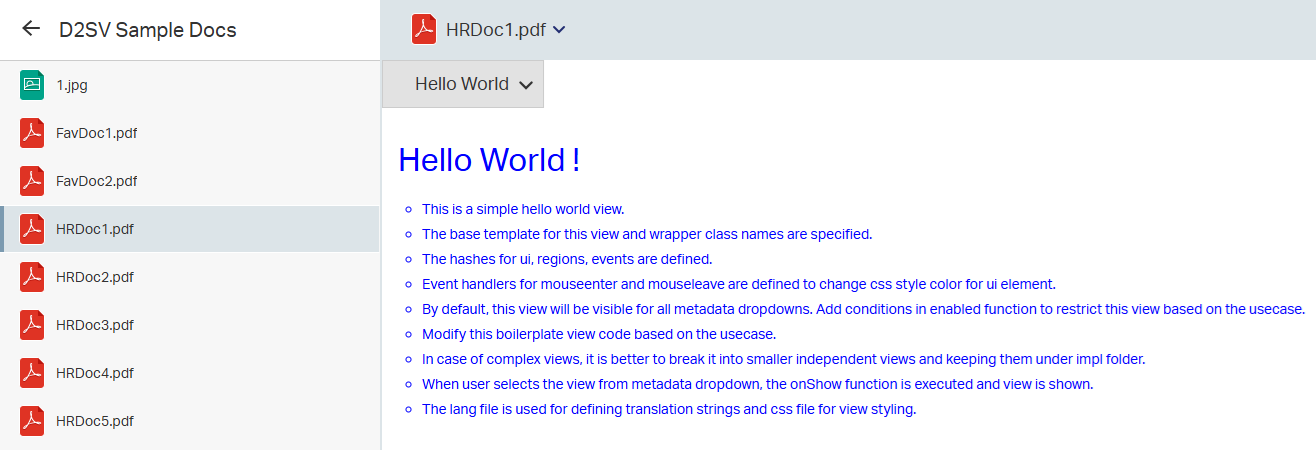
  "viewName": "Hello World",
  "viewHeader": "Hello World !",
  "viewBodyLine1": "This is a simple hello world view.",
  "viewBodyLine2": "The base template for this view and wrapper class names are specified.",
  "viewBodyLine3": "The hashes for ui, regions, events are defined.",
  "viewBodyLine4": "Event handlers for mouseenter and mouseleave are defined to change css style color for ui element.",
  "viewBodyLine5": "By default, this view will be visible for all metadata dropdowns. Add conditions in enabled function to restrict this view based on the usecase.",
  "viewBodyLine6": "Modify this boilerplate view code based on the usecase.",
  "viewBodyLine7": "In case of complex views, it is better to break it into smaller independent views and keeping them under impl folder.",
  "viewBodyLine8": "When user selects the view from metadata dropdown, the onShow function is executed and view is shown.",
  "viewBodyLine9": "The lang file is used for defining translation strings and css file for view styling."
});
Sample localized UI bundle for French
csui.define("testplugin01/widgets/metadata/panels/helloworld/impl/nls/fr/lang", {
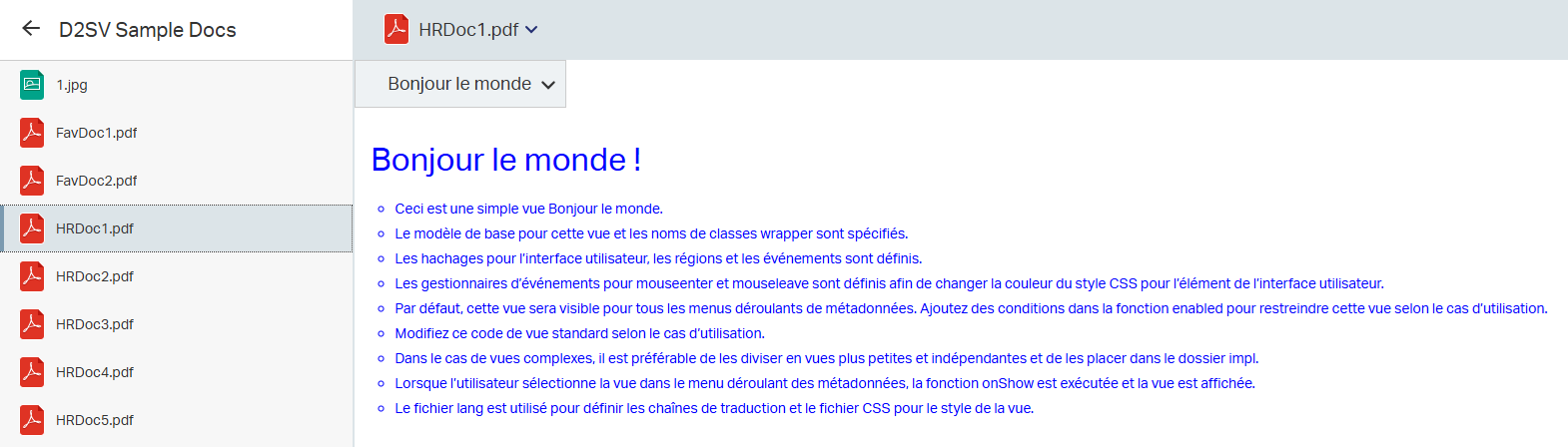
  "viewName": "Bonjour le monde",
  "viewHeader": "Bonjour le monde !",
  "viewBodyLine1": "Ceci est une simple vue Bonjour le monde.",
  "viewBodyLine2": "Le modèle de base pour cette vue et les noms de classes wrapper sont spécifiés.",
  "viewBodyLine3": "Les hachages pour l’interface utilisateur, les régions et les événements sont définis.",
  "viewBodyLine4": "Les gestionnaires d’événements pour mouseenter et mouseleave sont définis afin de changer la couleur du style CSS pour l’élément de l’interface utilisateur.",
  "viewBodyLine5": "Par défaut, cette vue sera visible pour tous les menus déroulants de métadonnées. Ajoutez des conditions dans la fonction enabled pour restreindre cette vue selon le cas d’utilisation.",
  "viewBodyLine6": "Modifiez ce code de vue standard selon le cas d’utilisation.",
  "viewBodyLine7": "Dans le cas de vues complexes, il est préférable de les diviser en vues plus petites et indépendantes et de les placer dans le dossier impl.",
  "viewBodyLine8": "Lorsque l’utilisateur sélectionne la vue dans le menu déroulant des métadonnées, la fonction onShow est exécutée et la vue est affichée.",
  "viewBodyLine9": "Le fichier lang est utilisé pour définir les chaînes de traduction et le fichier CSS pour le style de la vue."
});
Sample UI in English
Sample localized UI in French
Localizing D2FS strings
- For D2FS strings, the English translations would be in a
.propertiesfile and these are found undersrc/main/resources/stringsor it's subdirectories for examplesrc/main/resources/strings/dialog/HelloWorldDialog/HelloWorldDialog_en.properties, and the filenames usually ends with the suffix_en.
- To localize this file, add new properties file under same directory, and named similar to it's English translation file
but with it's
language codeas suffix instead ofensayHelloWorldDialog_fr.propertiesfor French, and add the corresponding French translations in the file.
Sample HelloWorldDialog_en.properties file for English
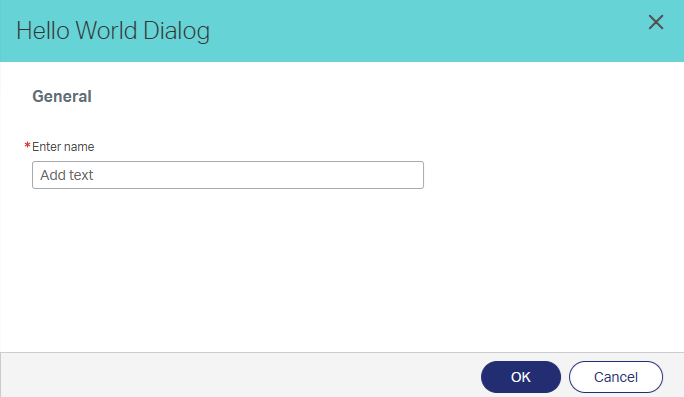
HelloWorldDialog=Hello World Dialog
name_field=Enter name
buttonOk=OK
buttonCancel=Cancel
Sample localized HelloWorldDialog_fr.properties file for French
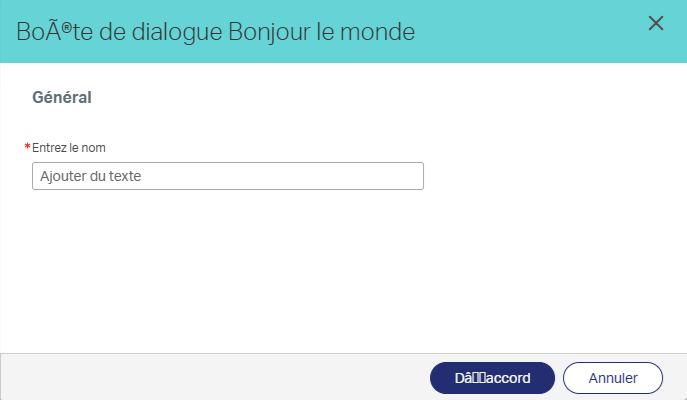
HelloWorldDialog=Boîte de dialogue Bonjour le monde
name_field=Entrez le nom
buttonOk=D’accord
buttonCancel=Annuler
Sample UI in English
Sample localized UI in French
Localizing Rest Messages
- For localizing the strings used in rest APIs, we'll need to create a properties file for English translations as well
as the desired languages under
src/main/resources/com/emc/documentum/rest/messages.
- The translation files must be in pattern of
rest-*messages.propertiesfor English andrest-*messages_<language code>.properties.
- The error message translation files are usually in pattern of
rest-*exception-messages.properties.
- For using these translations in the java code, we have to import the MessageBundle and D2Utils and use it as shown below.
- The English translations are automatically added under
src/main/resources/com/emc/documentum/rest/messageswhen rest controller is added using workspace assistant. Refer sample Controller codesrc\main\java\<plugin package path>\rest\controller\<service name>Controller.javaand FeedViewsrc\main\java\<plugin package path>\rest\view\<service name>FeedView.javafor usage.
Sample Java code which implements localization
import com.emc.documentum.d2fs.util.D2Util;
import com.emc.documentum.rest.config.MessageBundle;
...
public class HelloworldFeedView extends D2FeedableView<HelloworldOutputModel> {
    ...
    public String feedTitle() {
        return MessageBundle.INSTANCE.get("HELLOWORLD_FEED_TITLE", D2Util.getLocale());
    }
}
Sample properties file for English
HELLOWORLD_FEED_TITLE=List of Helloworld objects
Sample localized properties file for French
HELLOWORLD_FEED_TITLE=Liste des objets Helloworld
Sample rest response for English
{
  "id": ".../localization/helloworld",
  "title": "List of Helloworld objects",
  ...
}
Sample rest response for French
{
  "id": ".../localization/helloworld",
  "title": "Liste des objets Helloworld",
  ...
}
After adding the required localization files, build the plugin using workspace assistant
or by running mvn clean install command from plugin's root directory so that the jar generated contains
localization files as well.